%20--%3e%3csvg%20version='1.1'%20id='Layer_1'%20xmlns='http://www.w3.org/2000/svg'%20xmlns:xlink='http://www.w3.org/1999/xlink'%20x='0px'%20y='0px'%20viewBox='0%200%20198%2061.5'%20style='enable-background:new%200%200%20198%2061.5;'%20xml:space='preserve'%3e%3cstyle%20type='text/css'%3e%20.st0{fill:%23FFFFFF;}%20%3c/style%3e%3cg%3e%3cg%3e%3cg%3e%3cpath%20class='st0'%20d='M45.4,61.5H33.2l4.5-24.1H20.9l-4.5,24.1H0L10.9,4.1c0.4-2.4,2.5-4.1,5-4.1h12.2l-4.3,22.4h16.6L44.7,0h16.5%20L50.4,57.4C49.9,59.8,47.8,61.5,45.4,61.5z%20M38.1,57.4h7.3c0.5,0,0.9-0.3,1-0.8l10-52.6h-8.2l-4.3,22.4H18.9l4.3-22.4h-7.3%20c-0.5,0-0.9,0.3-1,0.8l-10,52.6H13l4.5-24.1h25L38.1,57.4z'/%3e%3c/g%3e%3cpath%20class='st0'%20d='M82.2,2L71.7,57c-0.3,1.4-1.5,2.5-3,2.5H59l10.4-55c0.3-1.4,1.5-2.5,3-2.5H82.2z'/%3e%3cpath%20class='st0'%20d='M101.9,12.8H86.7l1.6-8.3c0.3-1.4,1.5-2.4,3-2.4h40.2l-1.6,8.3c-0.3,1.4-1.5,2.5-3,2.5h-12.8l-8.9,46.7H93%20L101.9,12.8z'/%3e%3cpath%20class='st0'%20d='M198,2l-10.4,55c-0.3,1.4-1.5,2.5-3,2.5h-9.8l10.4-55c0.3-1.4,1.5-2.5,3-2.5H198z'/%3e%3c/g%3e%3cpath%20class='st0'%20d='M154.1,35.2l1.1,15.5l0.7,8.8h10.4c1.4,0,2.5-1.2,2.3-2.6L162,2h-14.3c-0.9,0-1.7,0.5-2.1,1.3l-27.3,56.1h13.1%20l6-13.4l4.5-10.9l1.6-3.9l3.9-8.5c1.5-3.3,3.2-7.8,4.6-11.2h0.2c0.3,3.5,0.6,8.1,0.8,11.2L154.1,35.2z'/%3e%3c/g%3e%3c/svg%3e)
Can AI analyze a fight video?
From visible movement to strike statistics: a practical look at AI fight analyzers, single-camera footage and the moments that still need human judgement.
By HITAI ·
Can AI analyze a fight video?
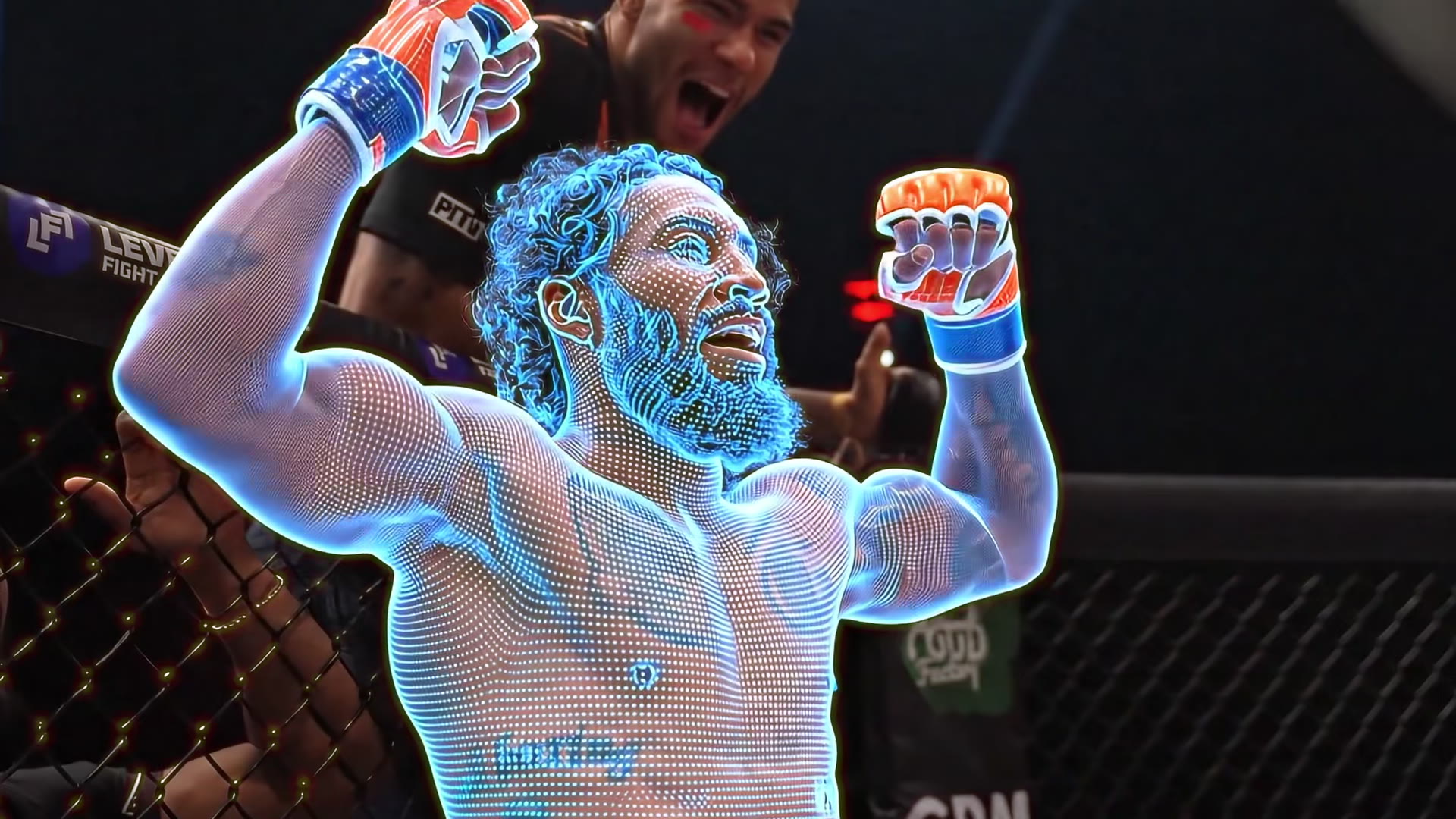
Yes—computer vision can turn visible fight actions into structured observations. An AI fight analyzer can follow fighters, identify movement and classify selected actions, depending on the system and the footage. It is not an all-knowing referee: it can only infer from the information captured by the camera.
HITAI focuses on camera-based combat-sports analytics, with strike tracking and live broadcast output. Our technology page describes a pipeline from video capture through pose estimation and action classification to statistics and overlays. This guide explains how to assess that kind of workflow, rather than promising that every clip produces perfect results.
Live-event analysis and post-session review serve different needs. A broadcaster needs timely, readable statistics; a coach needs footage and context to examine technique. Decide which outcome you want before choosing a tool.
How video becomes fight statistics
- Capture the scene. The camera supplies frames showing the fighters and the action.
- Track the people. Detection and tracking associate observations with each fighter over time.
- Estimate movement. Pose estimation identifies visible body landmarks and their motion. These are model estimates, not physical sensors attached to joints.
- Classify actions. A sport-specific model uses the visual evidence to label supported actions such as punches or kicks.
- Aggregate output. Events become counts, category breakdowns and trends, or feed a broadcast overlay.
These are separate tasks. Correctly finding a hand does not automatically establish that a punch landed. Identity tracking, action recognition and contact interpretation each need evaluation under real fight conditions.
What should an AI fight analyzer report?
Start with the metrics you will actually use. HITAI’s fight analytics and boxing analytics pages describe strike counts, categories, accuracy and target-zone information. Availability and usefulness should be checked against your sport, view and intended workflow.
- Activity: attempts by fighter and time interval, rather than one undifferentiated total.
- Action categories: definitions of the supported strike types and ruleset.
- Outcomes: a clear distinction between thrown, landed, blocked and uncertain actions where those are reported.
- Context: timestamps, round boundaries and a way to compare the statistics with the footage.
- Output format: whether the result suits a coach, commentator, overlay or data integration.
A meaningful accuracy number needs meaningful counting definitions. Our punch-counting guide explains the difference between volume and landing percentage.
What camera footage do you need?
HITAI’s published capture workflow describes a single 1080p, 30fps feed. A resolution label alone is not a quality guarantee: the action also needs to be visible. Discuss your actual camera position and sample footage with the team rather than assuming every phone recording or edited highlight reel is suitable.
- Keep the action in frame. Show both fighters and avoid cutting off hands, feet or the relevant target area.
- Reduce obstruction. A referee, cage post, ropes or a fighter’s body can hide the exact moment of contact.
- Keep the image readable. Good lighting and a stable view help preserve movement detail; motion blur can make fast exchanges ambiguous.
- Preserve timing. Slow-motion inserts, camera cuts and missing frames change the relationship between events and real time.
- Use footage you can share. Check athlete consent, venue permissions and broadcast rights before providing a clip.
A representative difficult exchange is a more useful test than a single unobstructed punch. Include clinches, changes of stance and movement near the edge of the frame when assessing a setup.
What AI cannot reliably infer from every clip
Occlusion means missing evidence. If the camera cannot see the glove meeting the target, the model may have to infer an outcome from movement around it. That inference should not be presented as a directly observed fact.
Estimated force is not measured force. HITAI describes force inference from video. A force estimate is different from a calibrated physical sensor reading; it should not be used to diagnose injury or treated as a medical assessment.
Statistics are not official judging. Counts and trends can assist analysis, but a winner cannot be determined just by who threw or landed more. Interpretation needs the applicable rules and the quality and effect of the action.
Confidence needs evidence. Ask how accuracy was evaluated, which actions were tested, what the reference labels were and how performance changes with camera conditions. A headline percentage without those details is not enough to predict results on your footage.
How coaches and broadcasters can use it
For a coach, start with a specific question: did output fall across rounds, did a particular combination create openings, or did target selection change? Use statistics to locate exchanges, then watch the footage. More attempts do not necessarily mean better technique.
For a broadcaster, choose a small number of intelligible metrics. A clear round-by-round strike breakdown can add context without suggesting that the overlay is an official scorecard. HITAI’s broadcast graphics workflow is designed around live statistical output.
For a gym, compare similar sessions. Changing partners, camera placement, rules or recording quality can change the numbers independently of athlete progress. Our gym and team pilots are intended for exploring training-analysis workflows with the team.
What to ask before a demo
- Does the system support our sport, ruleset and camera position?
- Which events and outcomes does it report, and how are they defined?
- Can we compare reported events with their corresponding moments in the footage?
- What happens when a fighter or contact point is obscured?
- Which output suits our coaching or production workflow?
- How is our footage handled, and what permissions are needed to process it?
HITAI is not presented here as an instant public upload tool. Request a walkthrough to discuss a clip, your setup and the appropriate integration. The most useful demonstration is one grounded in your actual use case.